

- Завантажуємо іншу версію лого та зберігаємо ID (1064 – в цьому прикладі)
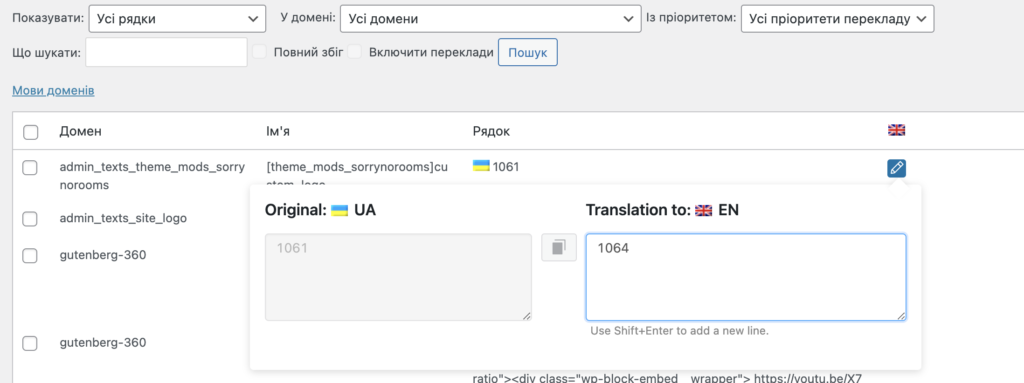
- string translation > лого, вмикаємо і в перекладі вказуємо ID (1064 – в цьому прикладі)
За необхідності, можна використовувати CSS псевдоклас :lang, наприклад:
html:lang(en-US) .custom-logo-link img
html:lang(uk) .custom-logo-link img
Детальніша інструкція з перекладу
1- Go to WPML-> String Translation
З сайту плагінчику
2- Scroll down and click on the “Translate texts in admin screens »” link
3- Search for the default language Logo ID
4- Select the strings
5- Click on the “Add to String Translation” button
6- Then click on “« Return to String Translation” link
7- Translate the default logo ID with the translated logo ID
8- Clear the cache, and check the front end